


Here is the honest answer first. No cable company gives away a cable subscription. What you can do is legally watch a lot of the same shows, news and sports for $0, and it takes about ten minutes to set up.
Your local ABC, CBS, NBC, Fox and PBS stations are free over the air with an antenna. Free apps like Pluto TV, Tubi and The Roku Channel add hundreds of live channels on top. The only things you can’t get free for long are the cable-only channels like ESPN, and we cover the cheapest way to get those too.
Below are six ways to get free cable TV that actually work, plus what each one costs you in ads, gear or hassle. If you want the paid options side by side, see our list of cable alternatives.
- Local channelsFree with antenna
- Pluto TVFree with ads
- TubiFree with ads
- The Roku ChannelFree with ads
- Library streamingFree with card
- YouTube TV21 days free
- Philo7 days free
- ESPN and cable channelsPaid only
Trial lengths and prices come from each service’s own site as of this update. Trials turn into paid plans unless you cancel.
Can you really get cable TV for free?
Not the cable box itself. A cable subscription always costs money, and anyone selling a stick or box that “unlocks every channel” is selling piracy. Skip it. Those streams break, and you are the one taking the legal risk.
What is free is the TV underneath. Broadcast networks send their signal over the air for anyone with an antenna. Free streaming apps pay for themselves with ads, the same way cable channels do. Put the two together and you cover local news, network primetime, NFL games on your local stations, and more reruns and movies than you will ever finish.
6 ways to get free cable TV (legally)
Start with the first two. Most people who cut the cord never need more than an antenna and one or two free apps.
1. Put up an HD antenna for your local channels
An antenna is a one-time purchase with no monthly fee. Plug it into the back of your TV, run a channel scan, and you get your local broadcast stations in HD. That is where ABC, CBS, NBC, Fox and PBS live, along with local news and a good share of live sports.
How many channels you get depends on where you live and how far you are from the towers. Before you buy anything, type your address into Antenna Web. It shows which stations reach you, so you know if an antenna is worth it at your address.
The math is simple. Dropping an $85 cable bill saves about $1,000 a year. Want to go further? Here are realistic ways to save $1,000 a month.
Directional vs. omni-directional antennas
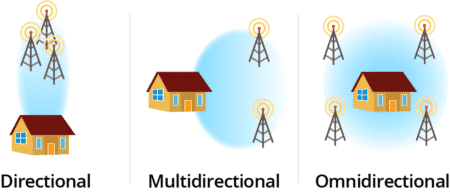
A directional antenna pulls signal from one direction. Pick it when your stations all sit the same way from your house, because it reaches farther and picks up less interference. An omni-directional (or multi-directional) antenna listens in every direction. Pick it when your towers are scattered or you are not sure where they are.
Indoor antennas
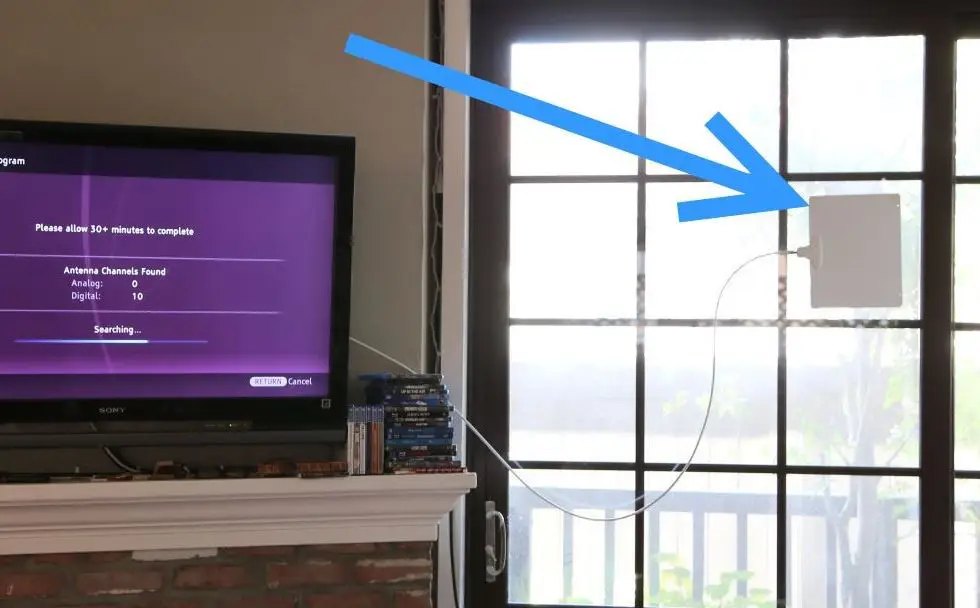
If you live in or near a city, start here. A flat indoor antenna like the Channel Master FLATenna sticks to a wall or window and plugs into your TV. Higher up and closer to a window usually means more channels, so try a few spots and rescan each time.

Outdoor antennas
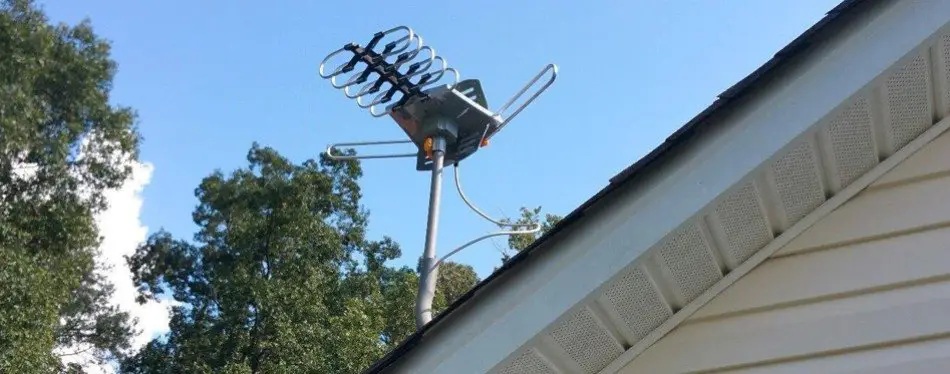
Farther from the towers, or stuck with buildings and hills in the way? A rooftop or balcony antenna gets above the clutter, and one antenna can feed more than one TV. If you want to see what an amplified outdoor antenna costs on Amazon, you can check the price here.

More Best cable alternatives to save money
2. Stream free live channels on Pluto TV, Tubi and other free apps
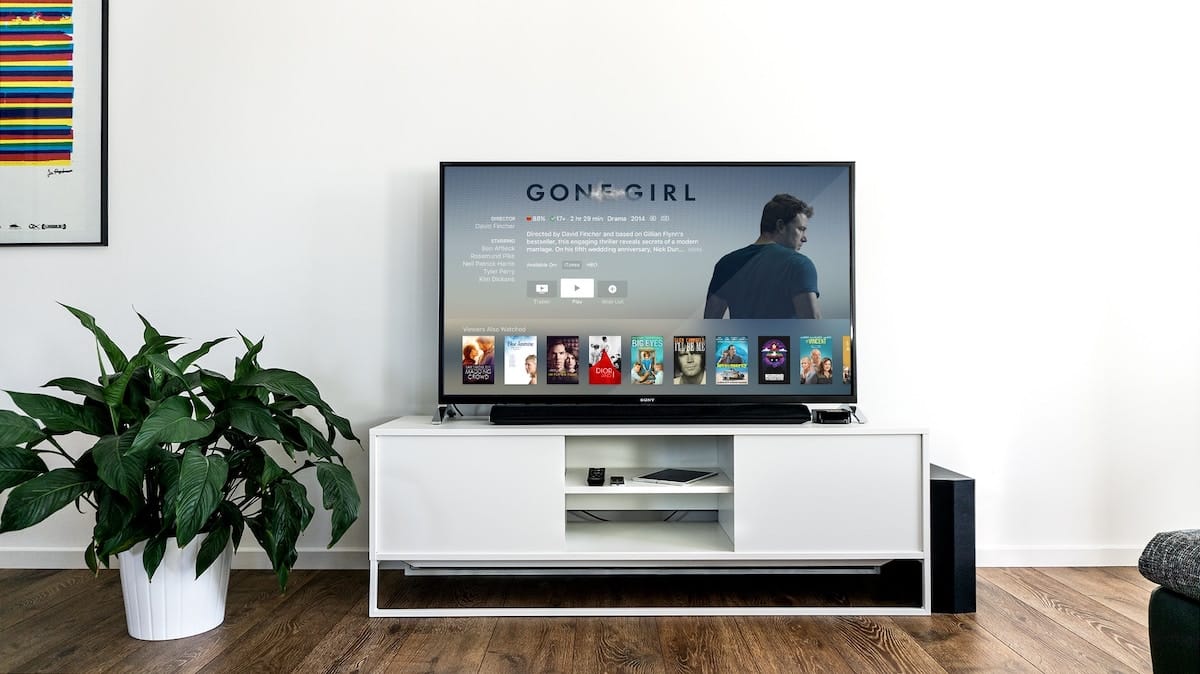
These apps look and feel like cable. You get a channel guide, live channels that run around the clock, and a library of movies and shows on demand. You pay with ad breaks instead of a bill.
| Free app | Cost | What you get |
|---|---|---|
| Pluto TV | Free with ads | Live channels for news, sports, movies, classic TV and kids, plus movies and shows on demand. Pluto’s own pitch is “no payment required. Ever.” |
| Tubi | Free with ads | A big on-demand library of movies and TV shows. Tubi is owned by Fox and says more than 110 million people use it every month. |
| Sling Freestream | Free with ads | Sling’s free tier. It lists 600+ channels of live TV and on-demand content, and you don’t need an account to start watching. |
| Plex | Free with ads | 600+ free live channels and more than 50,000 on-demand titles, by Plex’s count. |
| Xumo Play | Free with ads | A live guide plus free movies and TV shows. |
| PBS app | Free | More than 4,000 PBS and local shows on demand, plus a livestream of your local PBS station. |
The catch is what is missing. You will not find ESPN, TNT or live feeds of your local network affiliates here. Pair one of these apps with an antenna and that gap mostly closes.
3. Use the free channels already built into your TV
Before you download anything, check what your TV or streaming stick already has. Two of the biggest free services come preinstalled.
The Roku Channel is on every Roku device. Roku says it carries 500+ live TV channels along with free movies, shows and Roku Originals.
Samsung TV Plus is free on Samsung smart TVs released after 2016 and on Galaxy phones and tablets. It has live news, sports coverage, kids channels and on-demand movies.
If you own either one, you already have free cable-style TV. Open the app and start flipping.
4. Catch recent episodes on the networks’ own apps
Missed last night’s episode? The network that aired it usually streams it. Here is where each one stands as of this update.
- PBS: The PBS app is free to download and streams shows on demand along with your local station.
- NBC: The NBC app carries the latest episodes of its primetime, daytime and late-night shows. What is unlocked without a login changes, so check the app.
- The CW: Series, movies, sports and live channels stream at cwtv.com.
- CBS: CBS shows stream on Paramount+. Plans start at $8.99 a month, and the Premium plan is $13.99.
- Fox: Fox’s site now runs on FOX One, which is $19.99 a month, or you sign in with a TV provider.
So CBS and Fox want a subscription for streaming. For those two, the antenna from step 1 is your free route, because both still broadcast over the air.
- Find live news and sports as well as on-demand shows and movies, including originals, leaning on parent company Paramount Global brands like CBS, MTV, BET, Comedy Central, Nickelodeon and Paramount Network
- There are also more than one dozen live channels that stream curated content 24/7
- Plans start at $8.99/month. Cancel anytime.
5. Borrow movies and shows with your library card
Your library card is a streaming subscription you already paid for with your taxes. hoopla works with public libraries to lend movies, TV shows, music, audiobooks and ebooks for free. Sign up with your library card, borrow a title, and watch it in the hoopla app.
Not every library offers it, so check your library’s website before you count on it.
6. Use free trials for the cable channels you miss
This is the only free way to get real cable channels like ESPN, HGTV or CNN. Live TV streaming services carry them, and some let you watch free for a while before the first bill.
| Service | Free trial | Price after |
|---|---|---|
| YouTube TV | 21 days | $82.99 a month for the main plan with 100+ channels, local stations included. |
| Philo | 7 days | $25 a month for 70+ live channels and a DVR that keeps recordings for a year. Check the channel lineup before you sign up. |
| Fubo | Yes | Fubo advertises a free trial with no commitment. The length and the price after depend on the plan, so read the signup page. |
| Sling | None listed | No trial on its homepage as of this update, but it is the cheapest of the group. Plans start at $19.99 a month. |
Set a phone reminder for the day before the trial ends. Every one of these rolls into a paid plan if you forget, and that is exactly what they are counting on.
What you need to watch: streaming devices
If you have a smart TV, you probably need nothing. Most of the free apps above are in its app store. If your TV is older, a streaming device plugs into an HDMI port and adds them all.
| Device | Price | What to know |
|---|---|---|
| Roku Streaming Stick | Check price | The easiest pick for free TV. The Roku Channel and its 500+ free live channels are built in. |
| Amazon Fire TV Stick | Check price | Plugs into an HDMI port. Amazon pitches it for free and live TV. Stock on specific models comes and goes, so check Amazon for the current lineup. |
| Google TV Streamer (4K) | $149.99 | Google’s current streaming box, priced at the Google Store. The older Chromecast with Google TV shows as unavailable on Amazon. |
| Apple TV 4K | $199 | Apple’s price for the 64GB Wi-Fi model. The 128GB model with Ethernet is $249. Only worth it if the rest of your house is Apple. |
| NVIDIA Shield TV Pro | Check price | A 4K HDR streamer built for gamers. More power than you need for free TV. |
Roku Streaming Stick+
The Roku Streaming Stick is the one we would hand to a friend who is cutting the cord this weekend. It hides behind the TV, the remote is simple, and the free channels are waiting on the home screen.

Roku® Streaming Stick® features smooth HD streaming to your TV. Its small form-factor makes it easy to hide behind your TV and perfectly portable to use while traveling. The included voice remote has buttons to control your TV power and volume, plus search and more with Roku Voice.
NVIDIA Shield TV Pro
The NVIDIA Shield TV Pro is the expensive end of the list. It runs Android TV and handles 4K HDR. Buy it if you also want to play games on your TV. If all you want is free channels, a stick does the same job for a lot less.
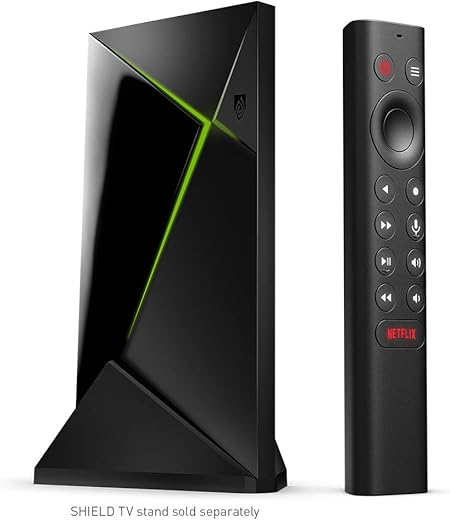
The NVIDIA SHIELD TV Pro is the best streaming device for gamers, because it is also a gaming console and works with GeForce Now. So you can play your favorite PC games on the big screen. This runs on Android TV, as you might have expected, and that allows it to run a bunch of great apps.
You still need internet for the apps
An antenna works with no internet at all. Every app on this page needs a connection, and a slow one means buffering. If your internet bill is the next thing you want to cut, there are ways to get free internet, though free connections are usually slower.
When free is not enough: the cheapest paid options
Sometimes the show you want is locked behind a subscription. You can still come out far ahead of a cable bill if you pick one service at a time and cancel when you finish the show. These are each company’s own listed prices as of this update.
| Service | Starts at | What you get |
|---|---|---|
| Netflix | $8.99 a month | Standard with ads. Standard without ads is $19.99 and Premium is $26.99. |
| Paramount+ | $8.99 a month | CBS, Comedy Central, MTV and Nickelodeon shows. Premium is $13.99. |
| Peacock | $8.99 a month | The Select plan has NBC and Bravo shows with ads, but no sports, movies or originals. Premium is $12.99. |
| Prime Video | $8.99 a month | On its own. It is also included with Amazon Prime at $14.99 a month. |
| Disney+ and Hulu bundle | $12.99 a month | Both services with ads on one bill. |
| Sling | $19.99 a month | Live cable channels. The cheapest way we found to get them. |
Our pick for most people is one on-demand service at a time on top of the free stuff. Netflix and Hulu cover different ground, so rotate them instead of paying for both. If you are deciding which to drop, read our take on when to cancel your Netflix subscription and how Hulu and Hulu + Live TV compare.
Already paying for Amazon Prime? Prime Video is included, so use it before you add anything else. If you get SNAP, Medicaid or other government assistance, Amazon’s Prime Access plan cuts the price to $6.99 a month.
Even two services at $8.99 each is about $18 a month. If you want that covered too, here are realistic ways to earn extra money online.
More Hulu vs. Hulu + Live TV: which is better?
How to record free TV without cable
The one thing people miss after cutting the cord is the DVR. You can get that back without a monthly fee too.
Tablo is a small box that connects to your antenna and your Wi-Fi. It lets you watch and record over-the-air channels on the screens in your house. You pay once for the device, and Tablo says there are no subscriptions, contracts or fees after that. It comes in a 2-tuner version (record two channels at once) and a 4-tuner version. You need your own antenna and an internet connection to run it.
Paying for a live TV service instead? YouTube TV includes unlimited DVR space, and Philo keeps recordings for a year.
Free cable TV FAQ
You need a live TV streaming service, because cable-only channels are not free anywhere legal. Sling is the cheapest we found, with plans starting at $19.99 a month. Philo is $25 a month with a 7-day free trial, and YouTube TV gives you 21 days free before it charges $82.99 a month.
Not a cable subscription. What you can get free is most of what cable carries. An antenna picks up your local ABC, CBS, NBC, Fox and PBS stations, and free apps like Pluto TV, Tubi and The Roku Channel add hundreds of live channels with ads. Boxes that promise every cable channel for free are piracy.
Use an antenna. All four broadcast over the air, so an indoor or outdoor antenna gets them with no monthly fee. Check AntennaWeb with your address first to see which stations reach you.
Pluto TV, Tubi, The Roku Channel, Plex, Xumo Play and Sling Freestream all stream live channels and on-demand shows for free with ads. The PBS app is free too, and hoopla lends movies and shows through your public library.
We could not confirm any national program that gives seniors free cable. Call your provider and ask about a discount or a cheaper plan. Every free option on this page works at any age, and an antenna has no monthly bill at all.
Not for an antenna. Over-the-air channels come straight to your TV with no internet. Streaming apps like Pluto TV and Tubi do need a connection.
The bottom line on free cable TV
Buy an antenna, install Pluto TV or Tubi, and check the free channels your TV already has. That covers local news, network shows and more movies than you can watch, for a one-time cost and no monthly bill.
Then add one paid service only when there is something specific you want to watch, and cancel it when you are done. For the full list of paid options, see our guide to cable TV alternatives.
Prices, trials and channel counts change often. Everything here reflects what each company publishes on its own site as of this update. Check the service’s signup page before you pay for anything.

